
Start Here · Lesson 03 of 06
Set up your BioTransducer.
Get familiar with your Tennant BioTransducer® before your first session. Begin with the charging guidance for your device, then learn its controls, handling, and care.
In this lesson
- Match the charging instructions to your charging version.
- Recognize the controls and indicators used during setup.
- Prepare, handle, and store your device with confidence.
Begin after Understand Your System. This lesson covers both charging versions of the current-generation Tennant BioTransducer.
Have these ready
- Your Tennant BioTransducer®.
- The charging cable and power adapter supplied or confirmed for your device.
- Your device instructions, storage case, and a soft, dry cloth.
Before operating your device
- Review the complete warnings and precautions supplied with your device.
- Use the device in a dry environment and remain awake during use.
- Keep the device and its components safely away from children.
This page prepares your device for use. Specific positioning and session instructions belong to the guided application you follow.
Controls & charging
Know your device.
Charge with confidence.
Get familiar with the controls and lights on your Tennant BioTransducer®, then follow the charging guidance for your device’s hardware.
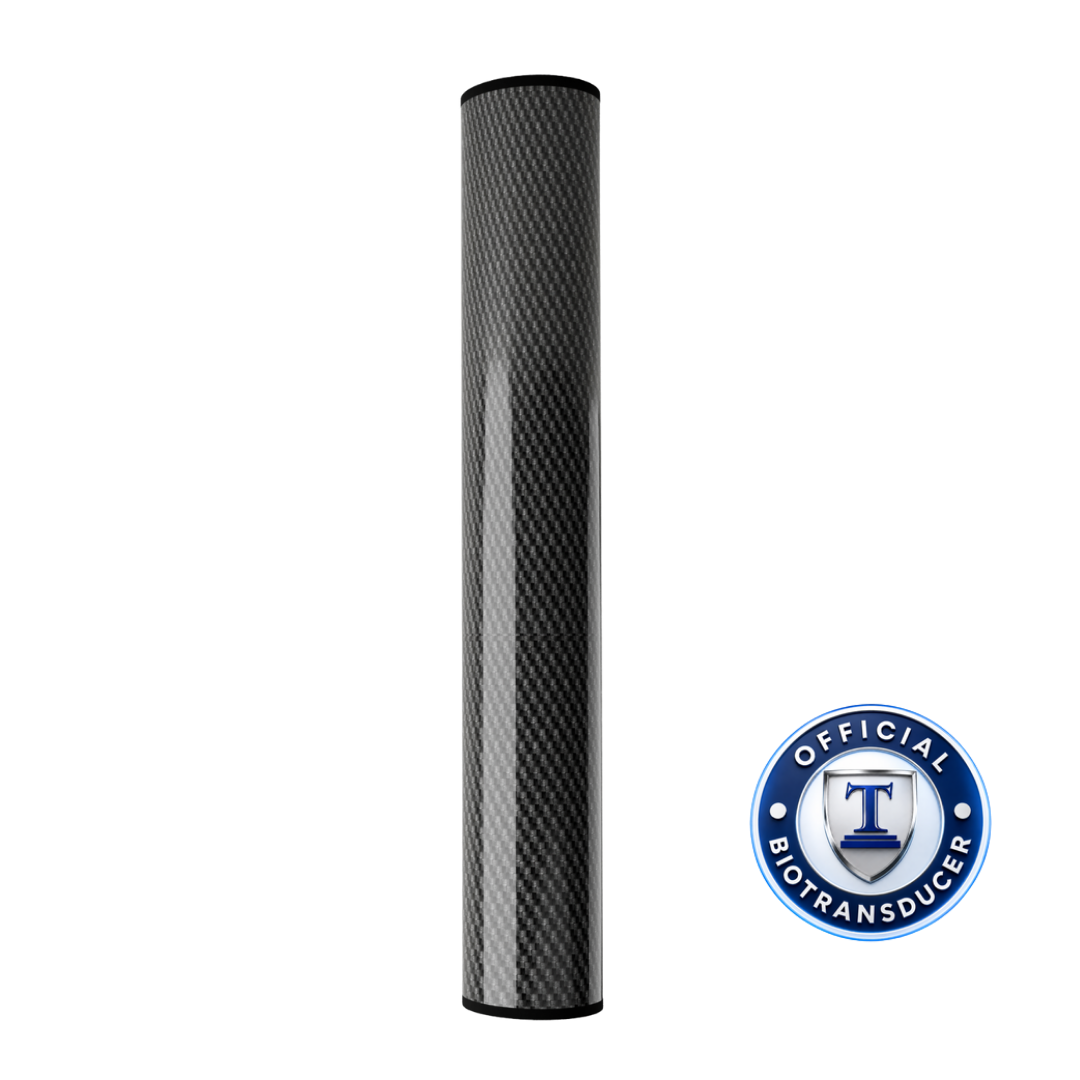
Three features to recognize
The power control, lens light, and charging indicator each have a different job.
- Power control
- Locate the power button or switch described in the instructions supplied with your device. This is the control used to turn the device on and off.
- Lens light
- The device guide describes a soft light at the lens when the device is active. This light indicates operation; it is not the battery’s charging indicator.
- Charging port and indicator
- The charging cable connects to the charging port. The nearby charging indicator shows charging status; read it using the instructions for your charging version below.
Standalone operation. The current-generation Tennant BioTransducer operates independently. It does not need an operating cable connected to the Tennant BioModulator®.
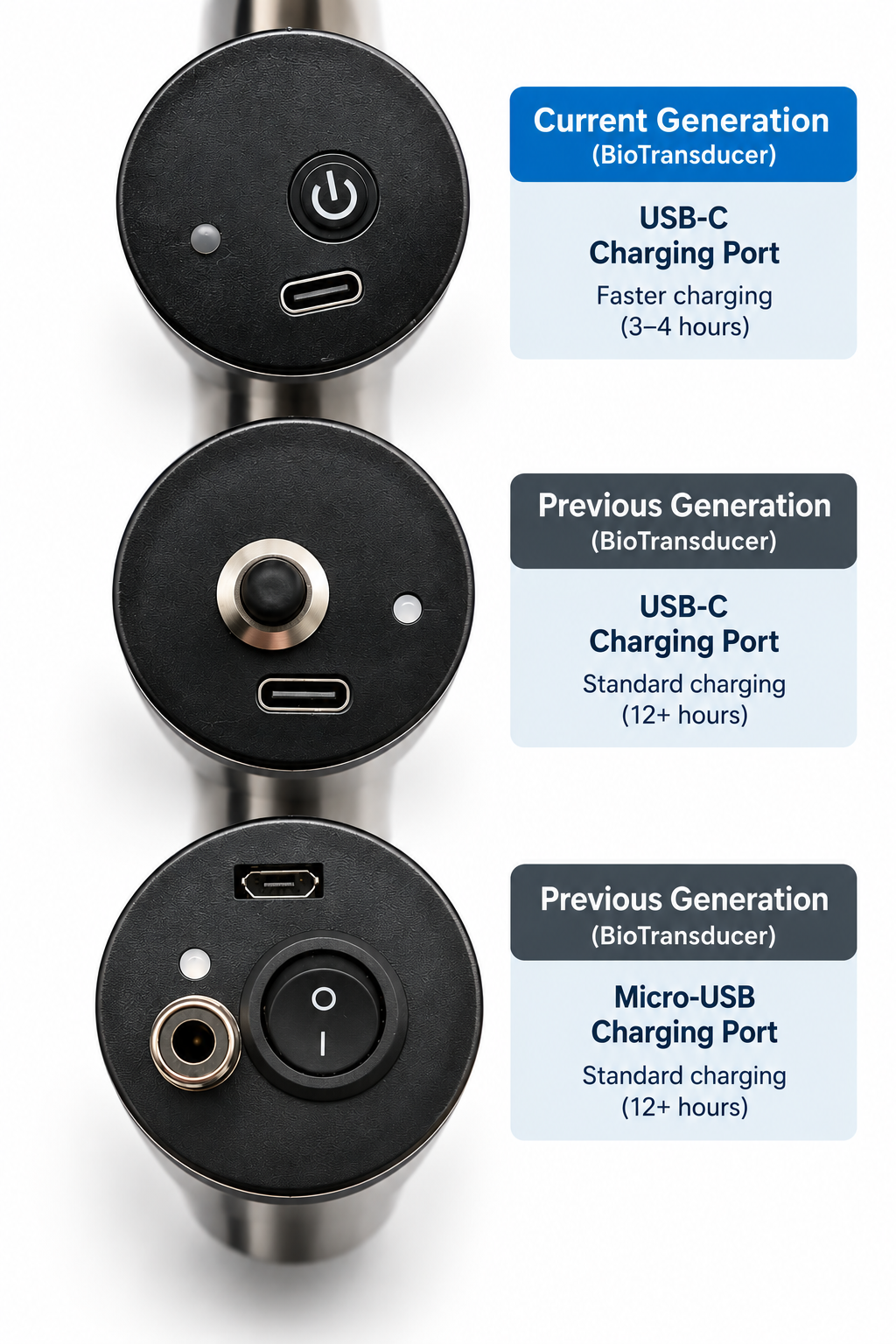
Follow your charging version
Open the guidance that matches your confirmed charging hardware. If you are unsure, start with “Help me identify my version.”
Use the cable and power adapter supplied or confirmed for your device. A plug that fits does not, by itself, confirm compatibility.
Standard USB-C chargingOriginal charging port · 12+ hours from empty
- Connect the supplied charging equipment. Connect the supplied USB-C cable to the device and its adapter, then plug the adapter into a wall outlet.
- Look for the charging indicator. The standard-version guide describes a red light near the charging port while charging.
- Allow enough time for a full charge. From empty, charging typically takes 12+ hours. The indicator turns green when fully charged. If it remains red after an overnight charge, the guide advises allowing additional time.
Cable compatibility matters. The standard-version guide excludes quick-charging QC/PD cables. Use your supplied cable or a replacement confirmed by Tennant Health. A faster charger does not upgrade the device’s charging hardware.
Updated chargingUpdated USB-C charging port · approximately 3–4 hours
- Confirm that your device has the updated charging hardware. USB-C alone does not identify this revision.
- Connect the correct cable and adapter. Use the charging equipment supplied or confirmed for this version, following the instructions supplied with your device.
- Allow approximately 3–4 hours from empty. Check the charging indicator against your supplied instructions to confirm completion.
The shorter charging time comes from the updated charging hardware. It does not mean that every USB-C cable or power adapter is suitable.
Help me identify my versionGet guidance for your specific device
Contact the Tennant Health team with a clear photo of your device’s charging port and the cable and adapter you have. Include the model information shown on your device or its instructions.
The team can help confirm which charging guidance applies. If your device has a different port or belongs to an earlier device generation, obtain the instructions specific to that device before using the steps on this page.
Get help with my charging versionPower check & everyday care
Check the power.Protect your device.
Once charging is complete, become familiar with switching your Tennant BioTransducer® on and off. Then make careful handling, cleaning, and storage part of your routine.
Before switching on: Read your device’s complete warnings and precautions. Stay awake and use it in a dry environment. If you have a pacemaker or another implanted medical device, consult your physician before use.
Confirm the power state
-
Turn the device on
Hold the device securely or place it on a stable, dry surface where it cannot roll or fall. Use the power button or switch described in the instructions supplied with your device.
-
Check for the soft light at the lens
The user guide identifies a soft light at the lens as the sign that the device is active. Use this operating light to check the power state.
Two different indicators: The light at the lens indicates operation. The indicator near the charging port shows charging status.
-
Switch it off after the check
Once you have checked the power state, switch the device off. Follow your guided session instructions for positioning and timing when you are ready to begin.
Instruction reference
Based on the Tennant BioTransducer® User Guide, revision 09.14.25: Quick Start Guide (printed page 002), Warnings and Precautions (003), Heat Management (005), How to Use (006), and Care and Maintenance (007). Follow the instructions supplied with your device if its controls or care requirements differ.
Troubleshooting & next steps
Answers for a confident start.
Find help with common setup questions, then check that you know your device’s charging requirements, power controls, and everyday care.
My BioTransducer will not turn on. What should I check?
- Check the charging connection. Use the cable and power adapter supplied or confirmed for your device. Check the connections at the device, adapter, and wall outlet.
- Check the charging indicator. For the standard version, the guide describes red while charging and green when fully charged. For the updated version, follow its supplied indicator instructions.
- Allow the appropriate charging time. Standard charging takes 12+ hours from empty; updated charging takes approximately 3–4 hours. Then repeat the power check.
Standard-version replacement check: The guide suggests trying a USB-A-to-USB-C cable or a 5 V, 1 A wall charger if the problem persists. These are troubleshooting options for the standard version, not specifications for the updated charging hardware. Ask the team to confirm a replacement if you are unsure.
If the device still will not turn on, contact the Tennant Health team with your charging version and the checks you have tried.
The charging light is still red after overnight charging.
For the standard charging version, this can mean it needs more time. Charging from empty typically takes 12+ hours. The guide advises allowing additional time until the indicator turns green.
This timing and red-to-green guidance applies to the standard version. For an updated device, follow its supplied instructions. If charging does not complete as expected for your version, ask the team for help.
Does a USB-C port mean I have faster charging?
No. Both standard and updated charging versions can have USB-C ports. The confirmed charging hardware determines whether the expected time is 12+ hours or approximately 3–4 hours from empty.
A faster charger does not upgrade the device’s charging hardware. Use the equipment supplied or confirmed for your version. Review the charging-port comparison and instructions.
Does it need a cable connection to the BioModulator?
The current-generation Tennant BioTransducer® operates independently. It does not require an operating cable connected to the Tennant BioModulator®.
The devices can be used separately or concurrently. Follow the positioning and timing in your guided session; learning to set up one device first does not require separate sessions.
My device has a different port or control layout.
Use the instructions specific to your device. An earlier port design does not establish that the USB-C charging directions on this page apply.
Send the team a clear photo of the charging port and controls, along with the model information on your device or instructions. Get help identifying your device before choosing charging equipment.
What information will help the team troubleshoot?
Have your device’s model information and serial number available, if present. Include clear photos of the charging port, cable, and adapter label.
Describe what happens when you connect power or use the power control, which lights appear, how long the device has charged, and what you have already tried. Send your details to the Tennant Health team.
Standard-version charging and troubleshooting reference: Tennant BioTransducer® User Guide, revision 09.14.25, printed pages 005–006 and 008. Follow the instructions supplied for your confirmed charging version.